Duo Sounds
Every fold.
A little feeling.
A sound for every open and close of your iPhone Duo.
Give opening and closing their own sound. Choose a pair you love, or record something only you could make.
For iPhone Duo · iOS 26 or later
See how it worksFind your pair.
1 / 23
Interactive 3D phone preview. Loading when visible.
Phat - Open and Close
Tap to hear it. Sound plays in your browser.
Swipe through 23 pairs. Pick one to preview.
Set it up once.
Make every fold yours.
Two shortcuts. One opening sound. One closing sound.
- Choose your sounds.Pick a pair in Duo Sounds, then tap Set Up Fold Sounds.
- Add both shortcuts.Add Opening and Closing to Apple's Shortcuts app.
- Switch each one on.In Shortcuts, edit each shortcut, tap the small arrow after Opened or Closed, then turn on Automation.
Change your mind? Pick another pair and tap Update Sounds. The shortcuts stay in place.
Get setup help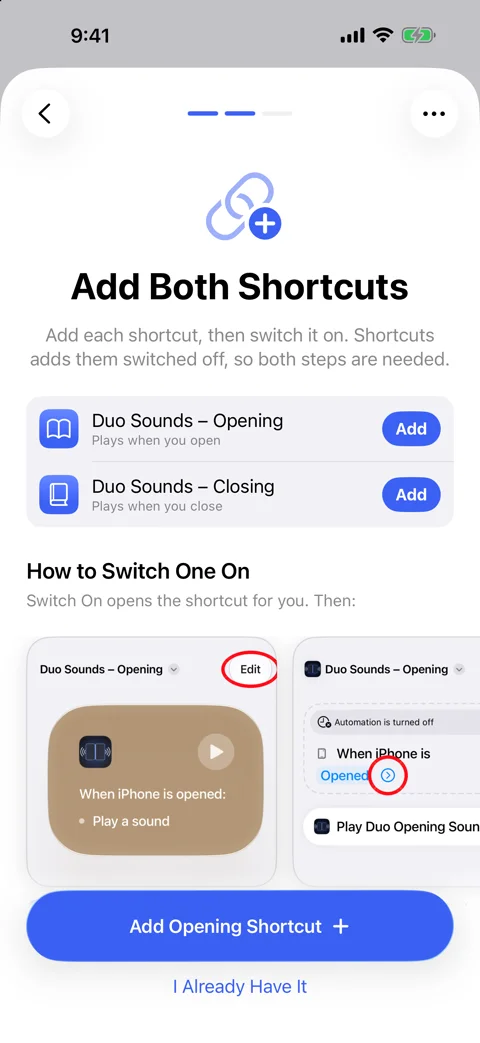
A tiny sound.
Entirely you.
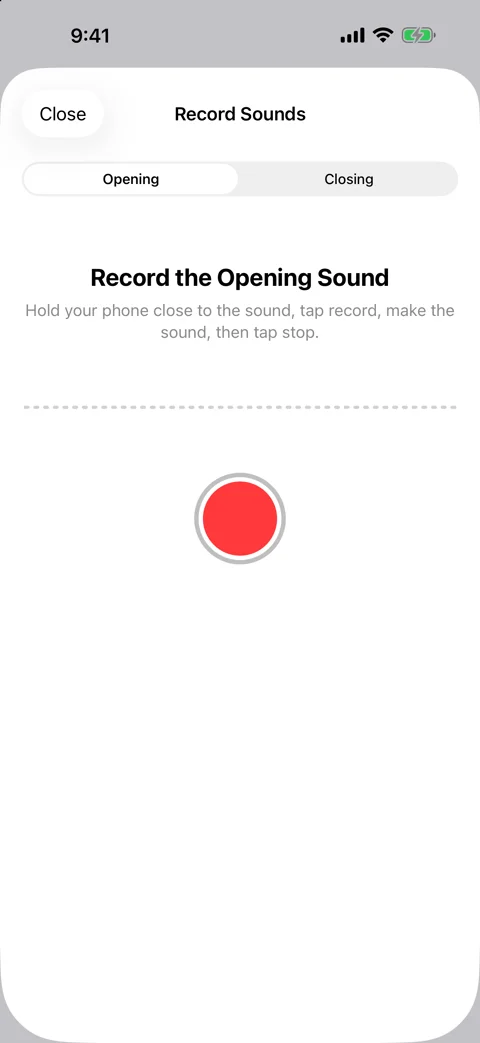
Record your own.
A hello, a little laugh, that satisfying click. Record in the app, then adjust speed and pitch. Add reverb or echo, or clean it up with noise removal.
Works locked. Works offline.
Once set up, your fold sounds work with your phone locked and without an internet connection. Your recordings and settings stay on your device.
Open. Close.
Make it sound like you.
Duo Sounds is coming soon to the App Store.
Questions? We’re here to help.